Project Details
Role
Product Designer
Tools
Figma
Magic Patterns
Miro
User Interviews
Type
Redesign + Build
Duration
Oct '24 - Oct '26
Overview
House Accounts lets businesses on Toast open an account for a member, a regular or a company, so they can charge purchases at the POS and settle up later. I turned a tool businesses worked around into a billing product they could trust. I fixed the foundation first, built new billing tools on top of it, and designed for what happens when things fail.
Problem
Businesses billing many accounts every month had to create invoices one at a time, and couldn't see what made up a balance. Many ran billing in spreadsheets or other tools, and Toast was losing deals because it couldn't support even basic member billing.
Solution
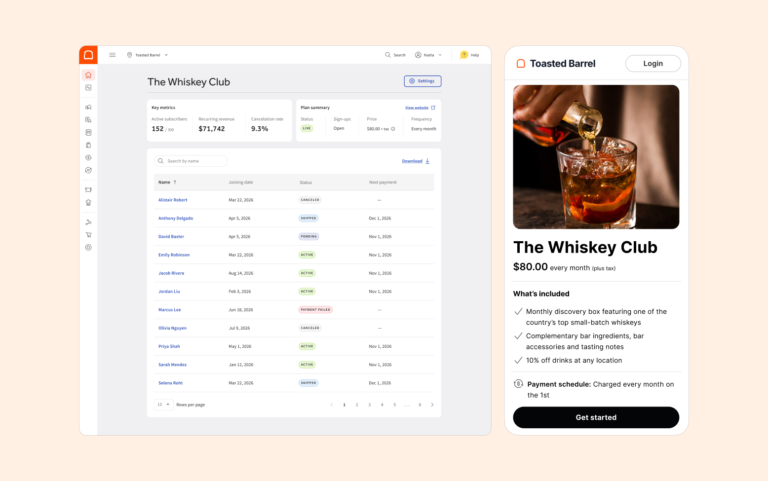
A redesigned House Accounts with a real home for accounts and balances, bulk import, bulk invoicing that handles failures clearly, automatic member statements and minimum spend billing.
Overview
Fix what businesses already use, before building more on top of it.
Private clubs bill members every month. Restaurants let employees charge meals and settle up through payroll. But Toast’s House Accounts tool was hard to use, so many businesses billed in QuickBooks or spreadsheets instead, and Toast lost deals as a result. When the Memberships team formed in October 2024, we fixed House Accounts first so it could become the base for club billing.
“Why I’m losing deals is plain and simple: Memberships.”
Account executive, Toast sales
Role & process
I owned House Accounts design, from the redesign to the billing tools built on top.
I led the redesign and designed bulk import, bulk invoicing, member statements, and minimum spend.
A few things shaped how I worked:
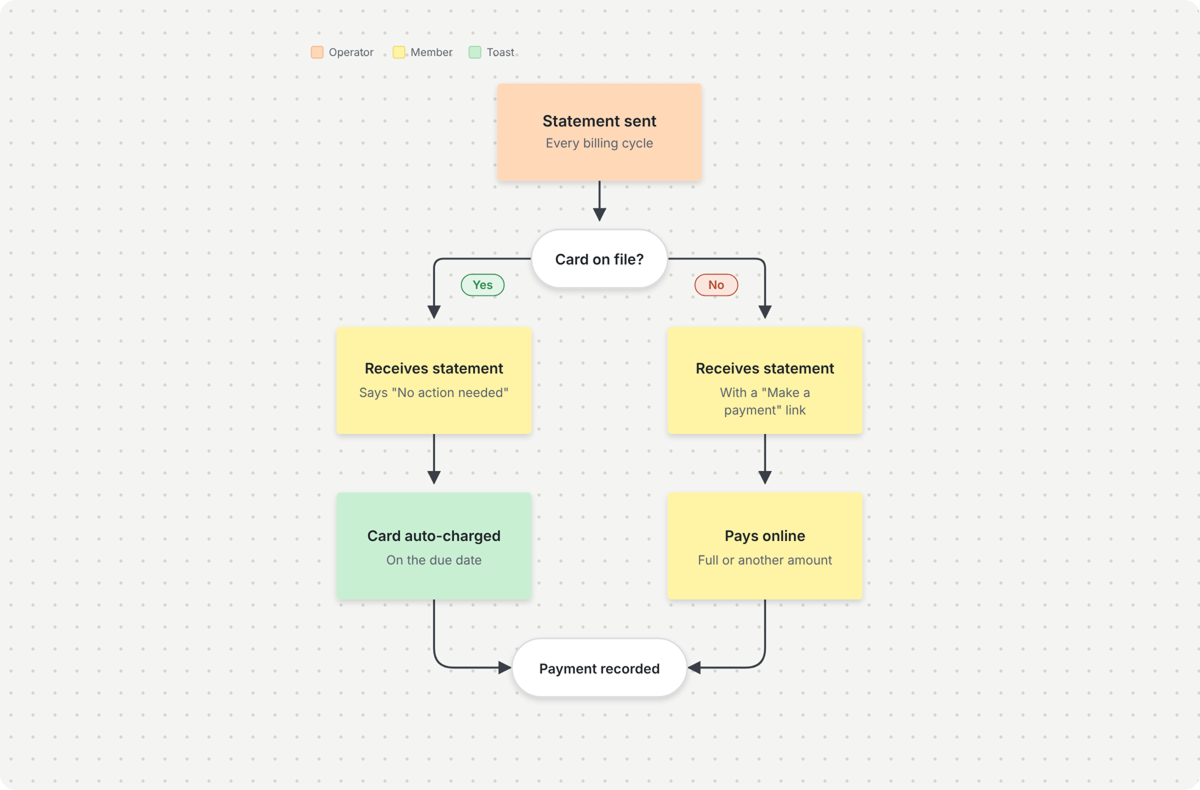
Mapped the jobs and journey
I mapped the core jobs for operators and members, and the full journey from account setup to payment. We used both to decide what to build first.
Shared the direction early
One month in, I presented the redesign to Toast executives in the review that set the team’s direction.
Worked through edge cases
Before designing screens, I worked through every failure scenario with engineering, so we agreed on what happens to each charge.
Goals
We kept coming back to three jobs the business needed done.
- Spend less time on billing, so operators don’t set up and invoice accounts one at a time.
- Get paid on time, so money comes in every cycle without chasing members.
- Answer billing questions quickly, so operators and members can see what was charged and what’s owed.
Featured projects
The projects that helped businesses do those three jobs.
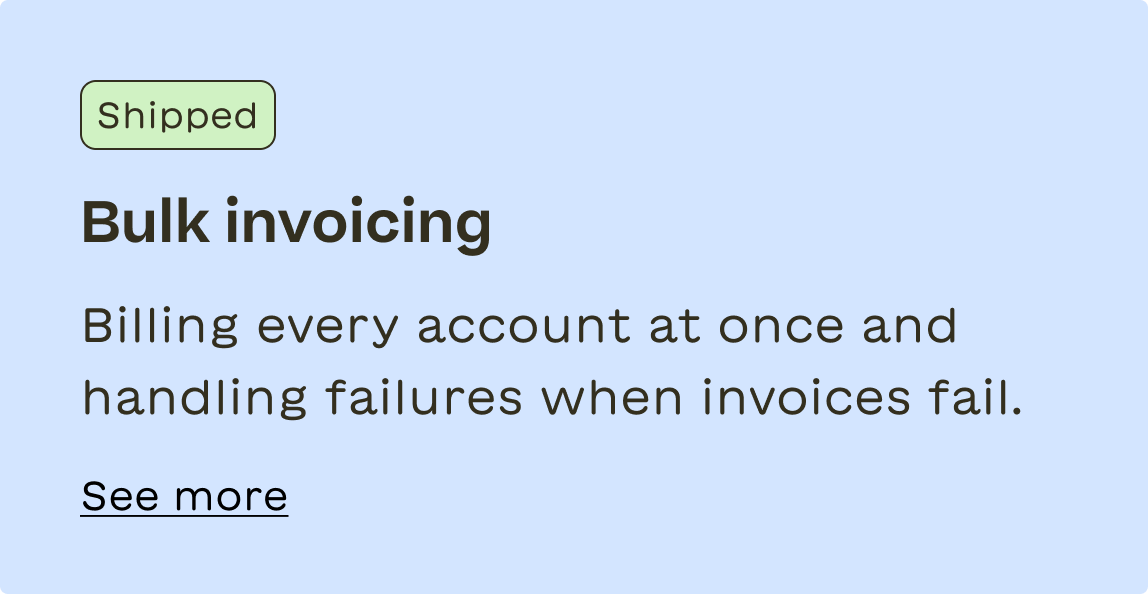
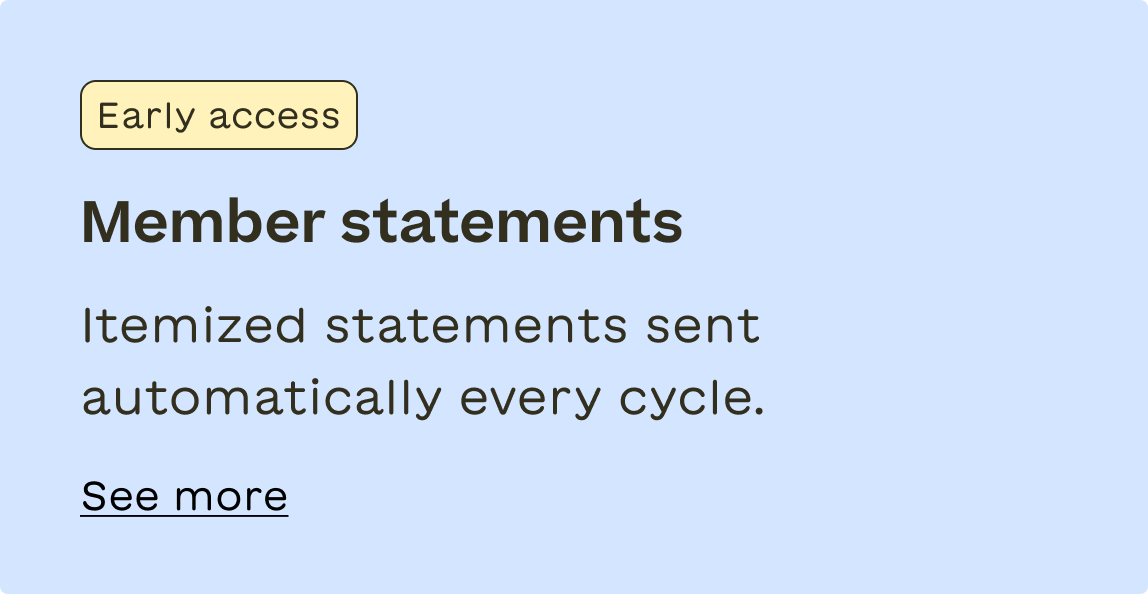
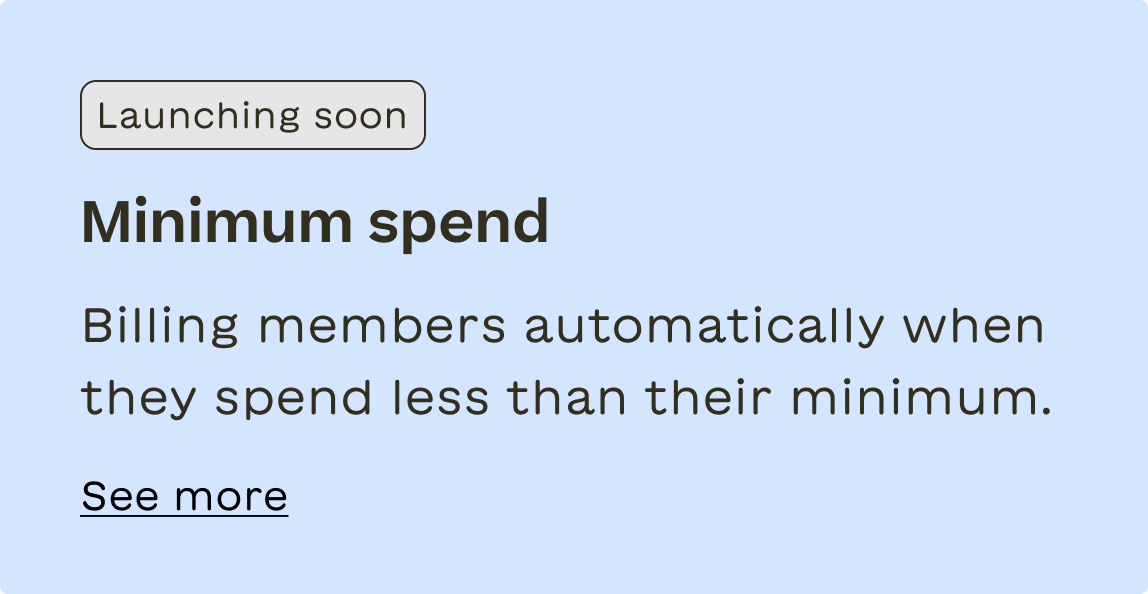
Redesigning House Accounts
Overview
The old House Accounts didn’t show what made up a balance, and operators had to create and send each invoice one by one. When a member called about a bill, operators couldn’t find the charges behind it or adjust the balance.
I tackled this first. The redesign also moved House Accounts off Toast’s legacy UI and onto the new design system, so it matched the rest of Toast and gave us a consistent base to build on.
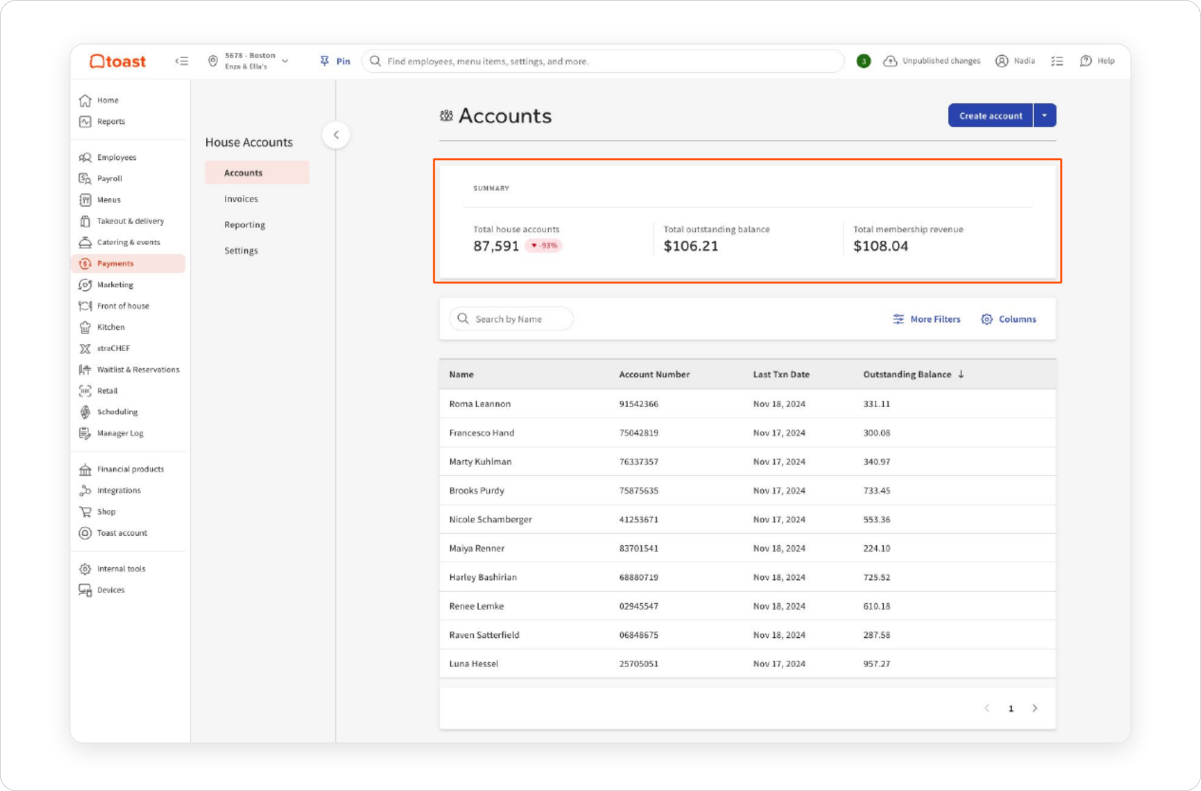
Starting from the accounts list
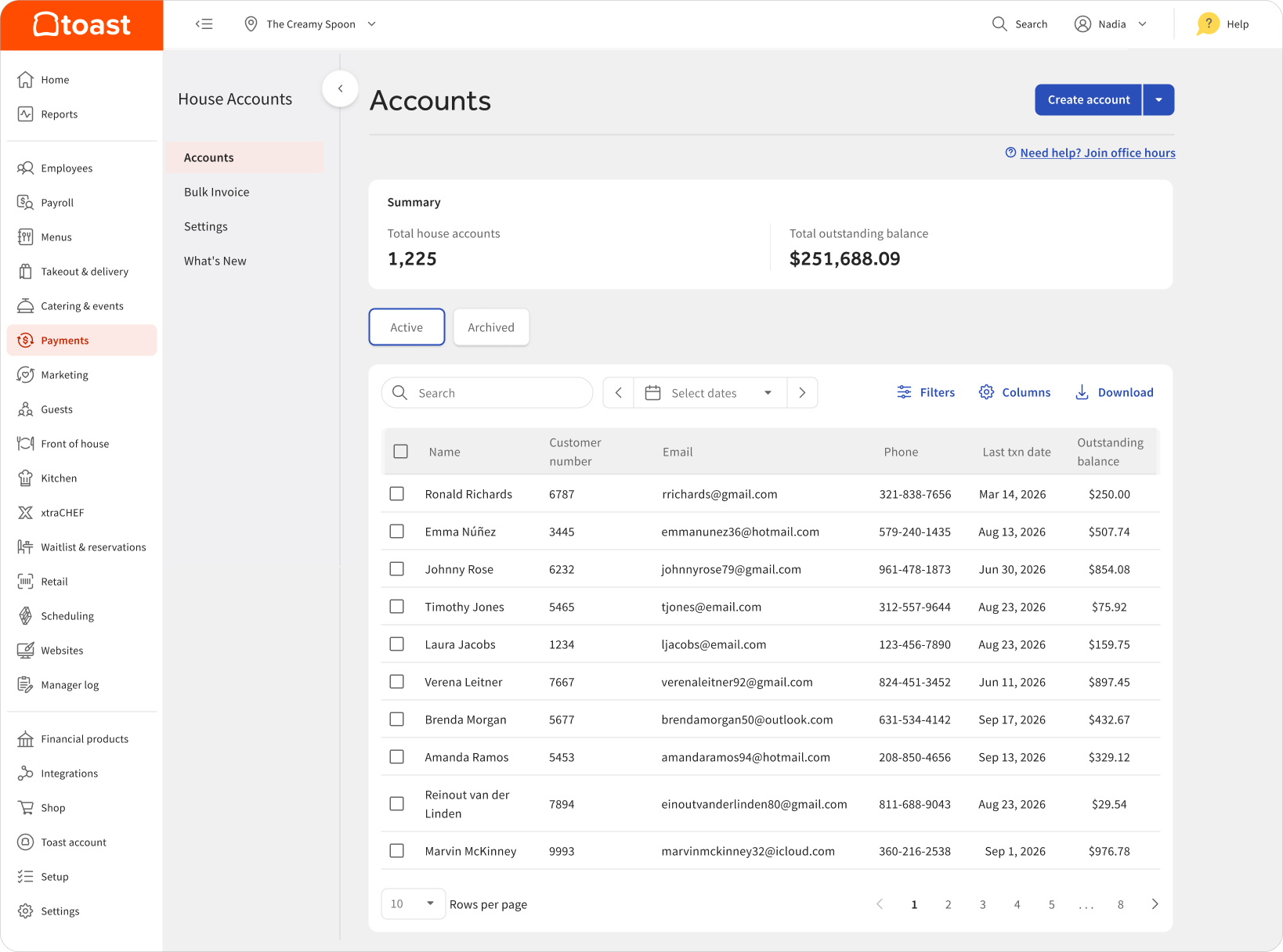
The old landing page mixed setup options with the account list, led with internal IDs, and showed no totals.
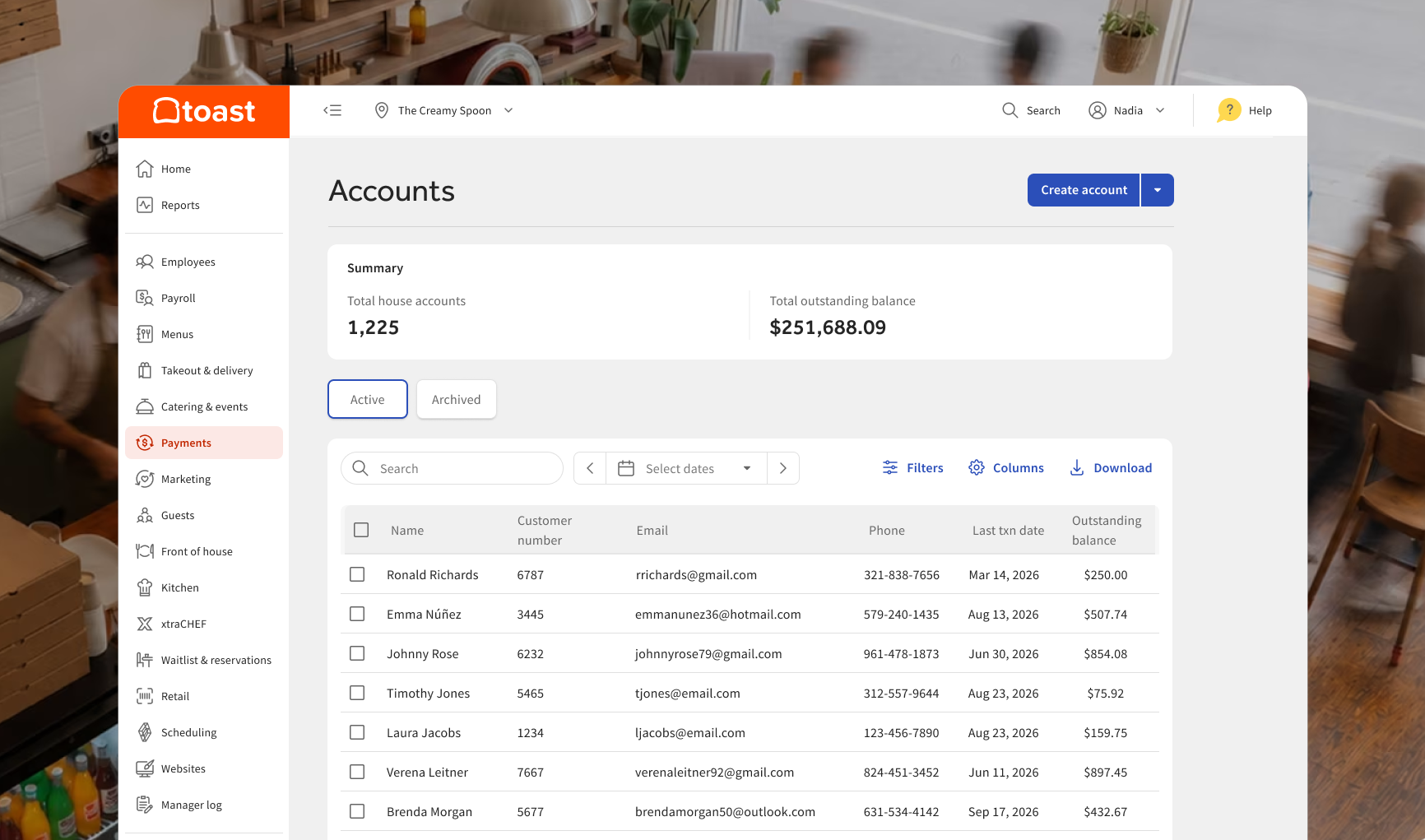
I moved setup to its own Settings page. The Accounts page now opens with an account summary and what’s owed, plus search, filters, and a list that leads with the member’s name.
Before: a cluttered page where the important information was hard to find.
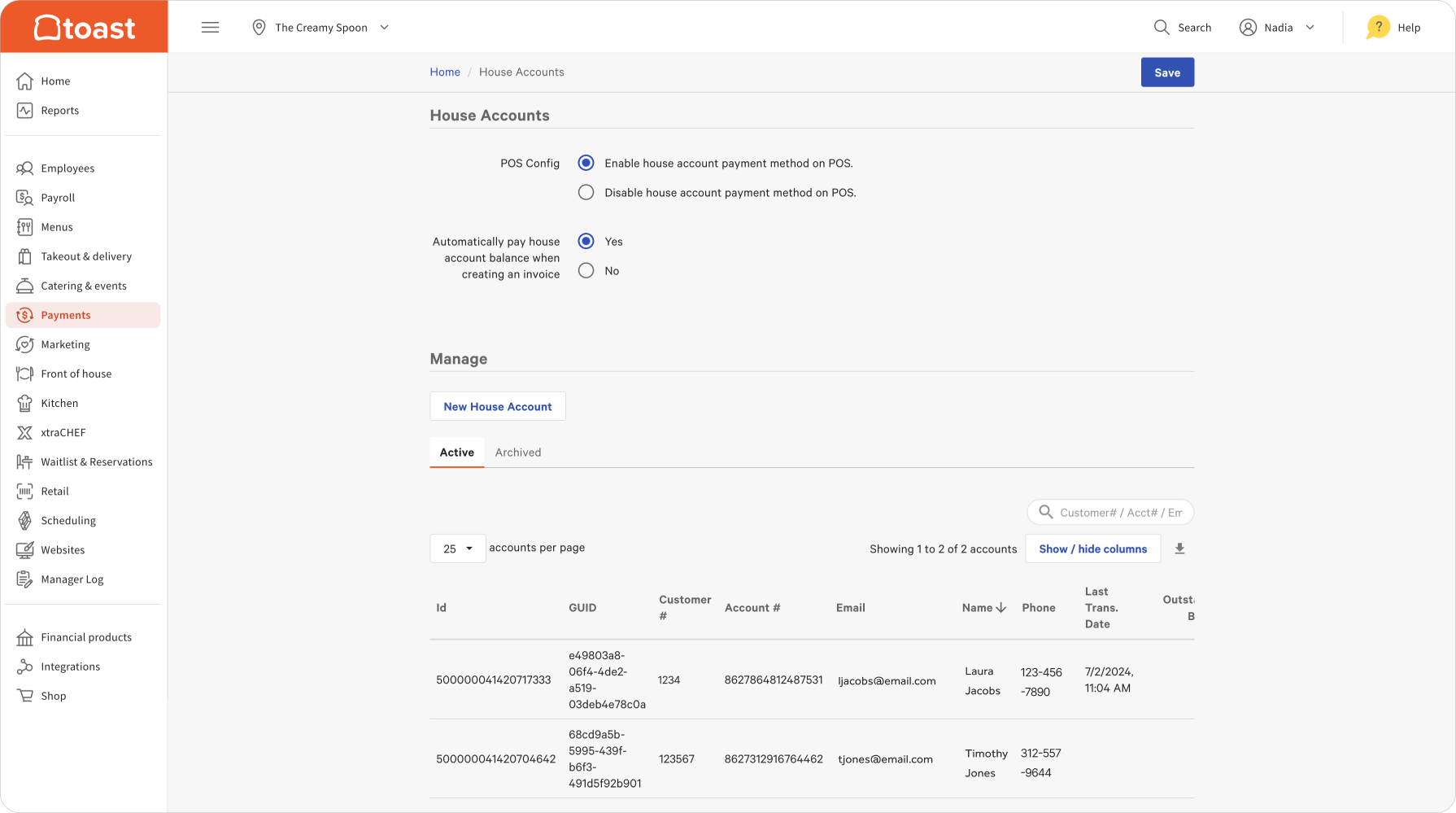
After: operators see what’s owed at a glance and find any member in seconds.
Giving accounts a real home
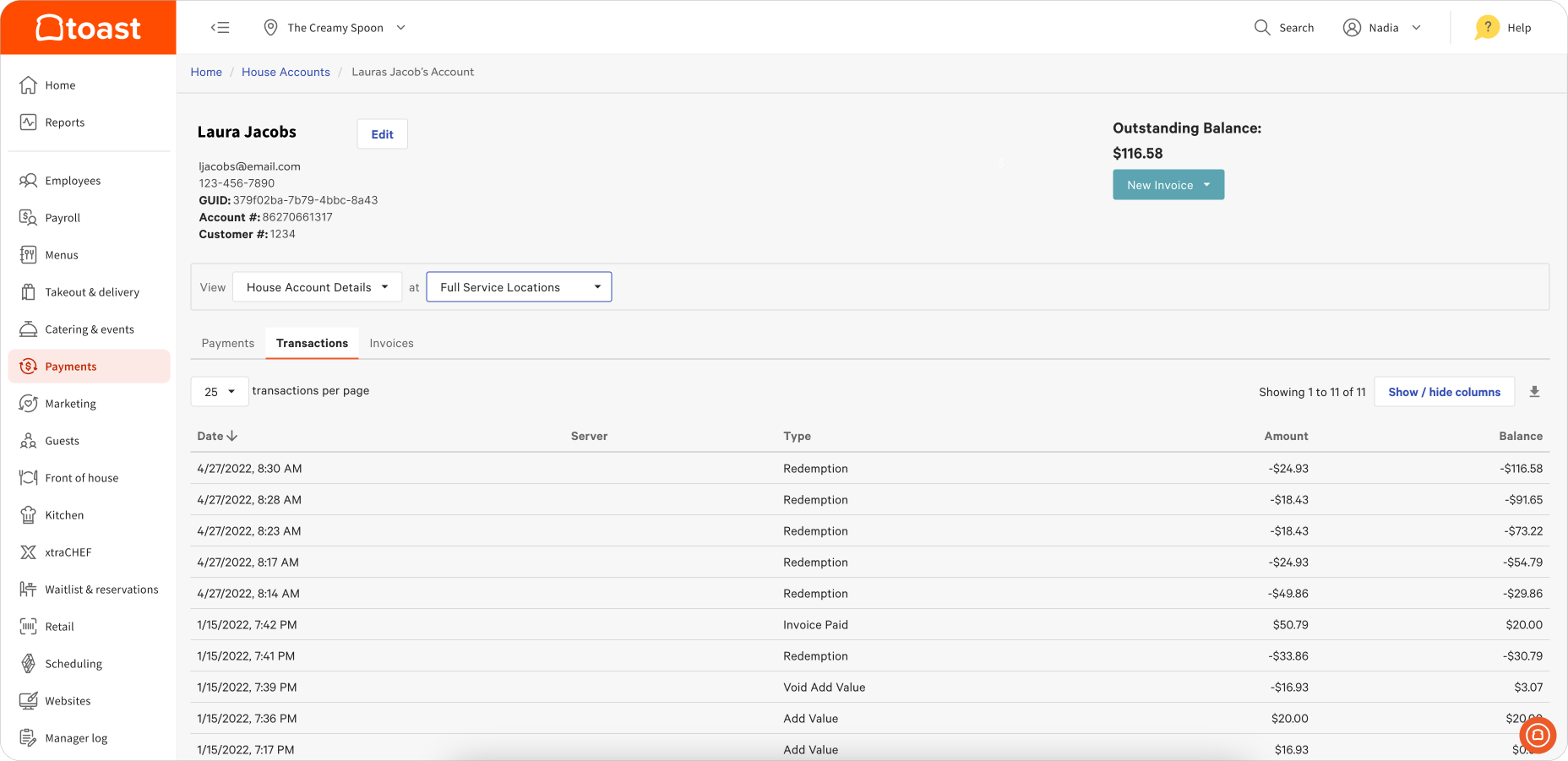
The old account page showed one balance and a long list of transactions with unclear labels like “Redemption” and “Add Value”. There was no receipt behind a charge, so answering “what is this charge?” meant piecing it together by hand.
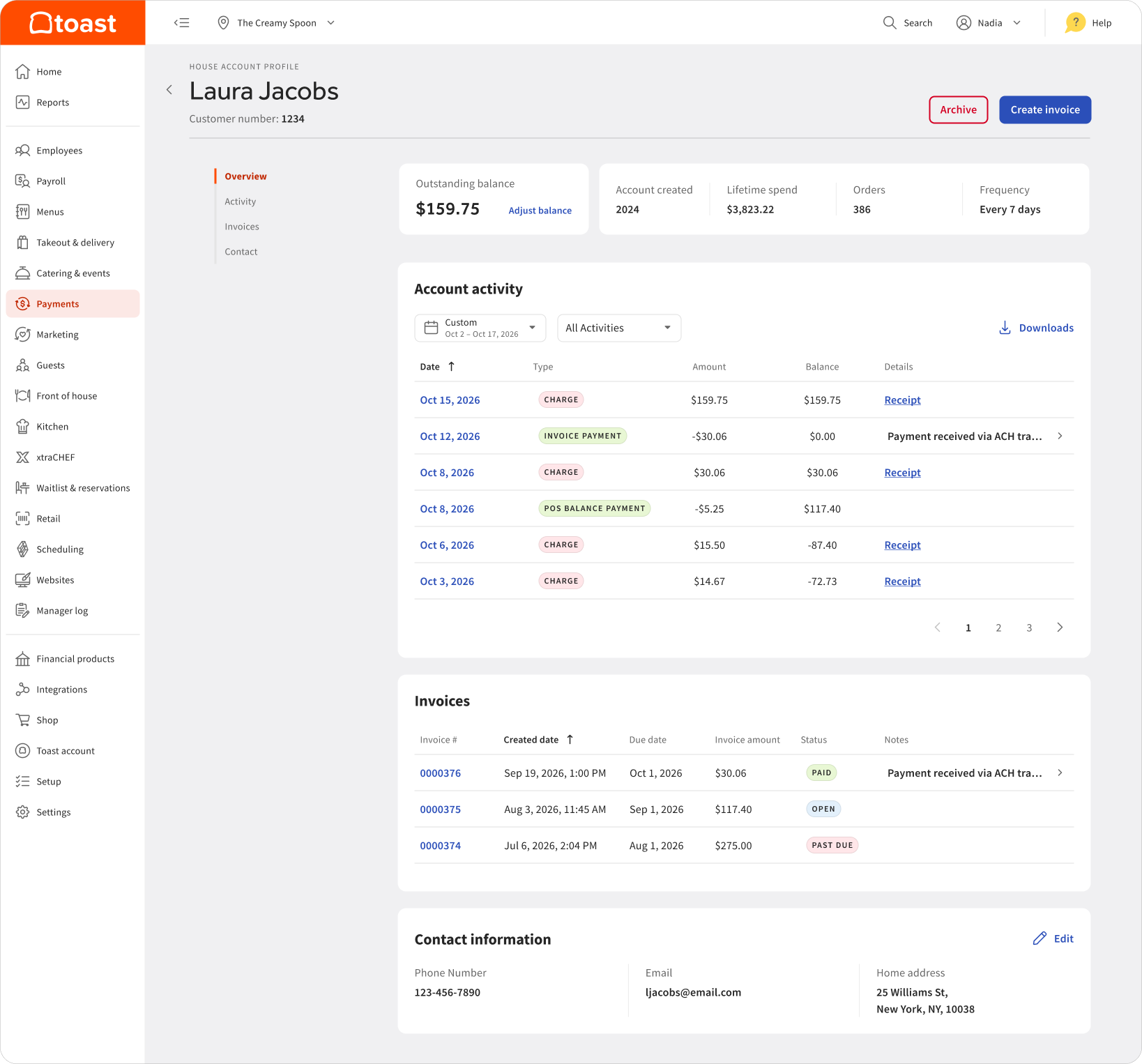
I redesigned the profile around the questions operators actually get. The balance sits at the top with an adjustment option, activity uses clear labels with a receipt on every charge, and invoices and contact details live on the same page.
Before: one balance and a list of transactions, with no way to see what each charge was.
After: balance, activity, invoices, and contact details are all in one place, so any billing question is answered quickly.
Getting accounts in
Clubs moving to Toast often have hundreds of members to set up. I designed a bulk import experience that lets operators fill out a template and upload all their members at once, with a confirmation step since an import can’t be undone.
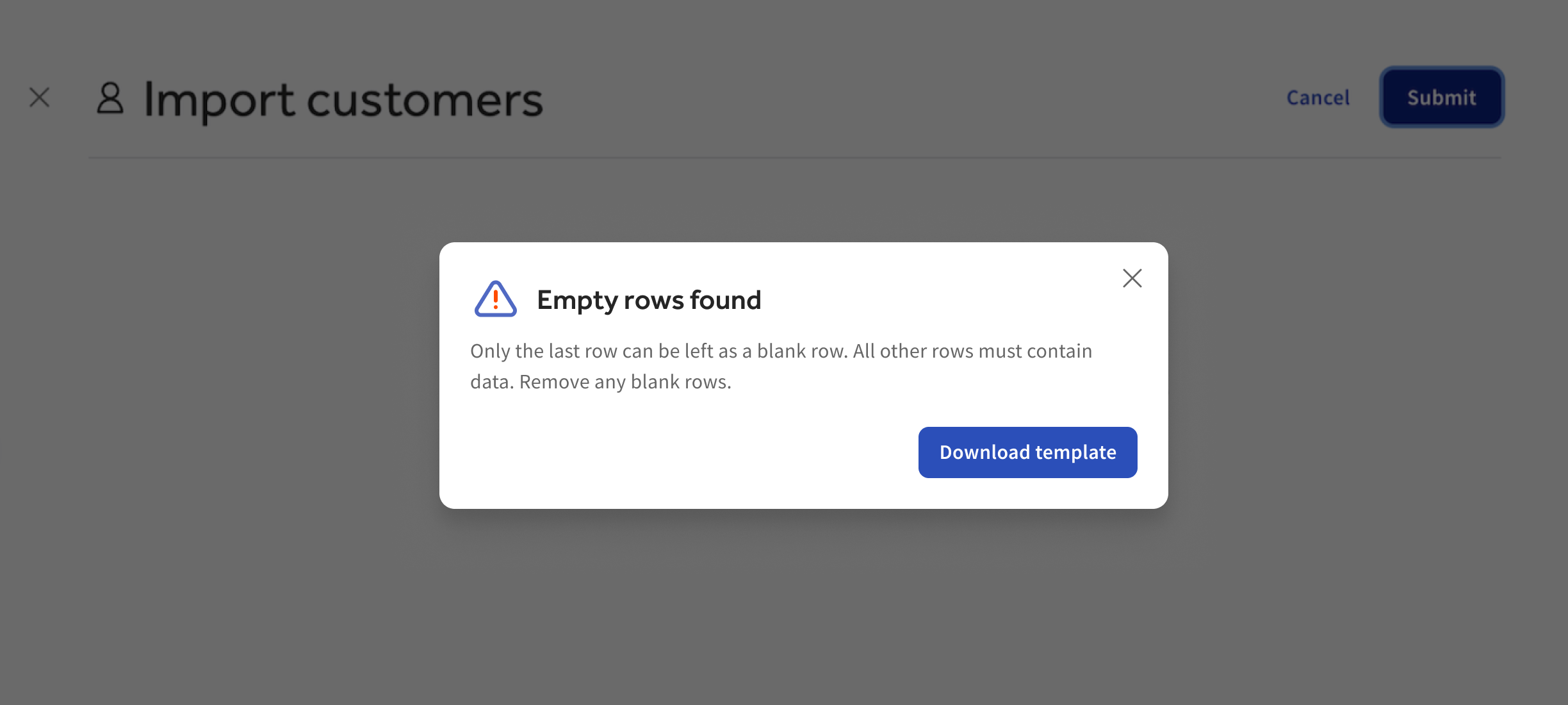
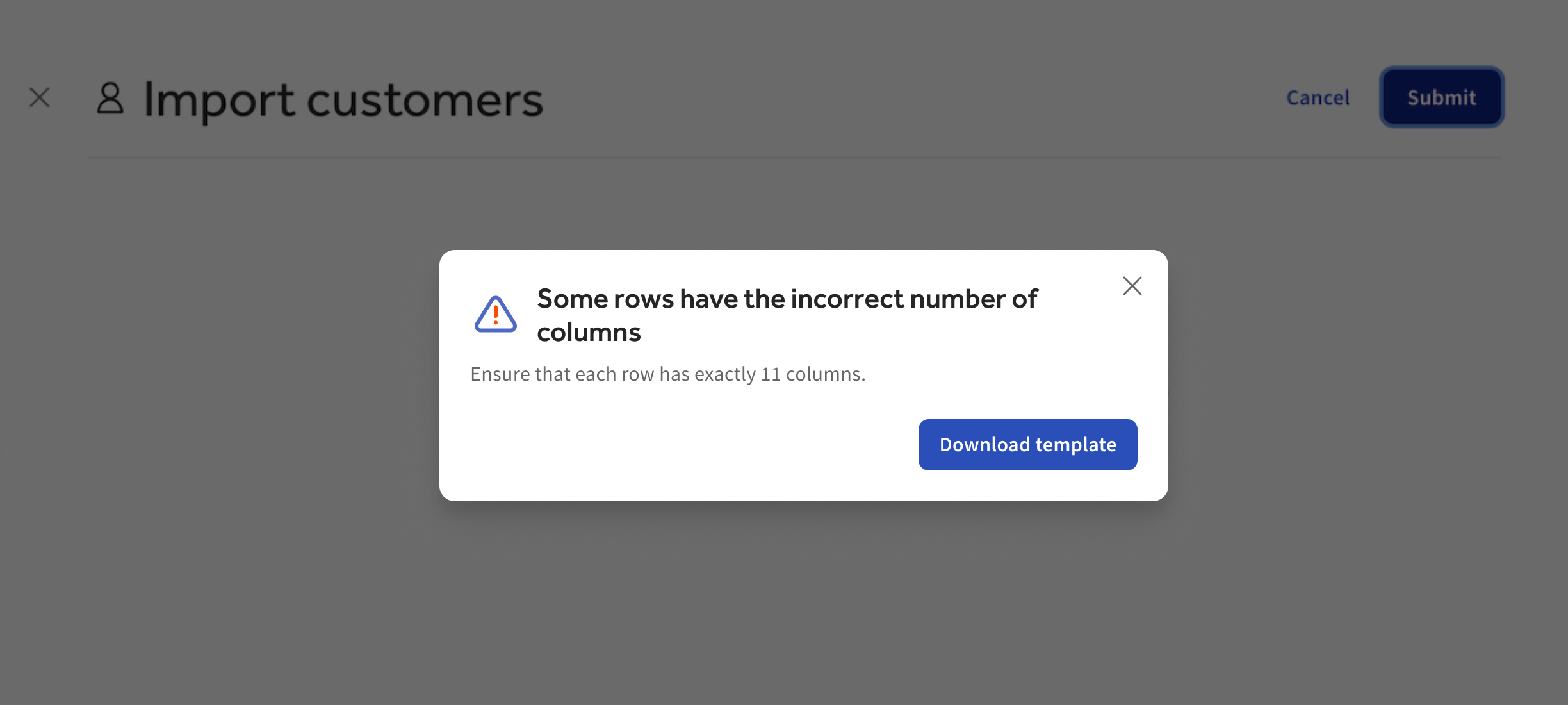
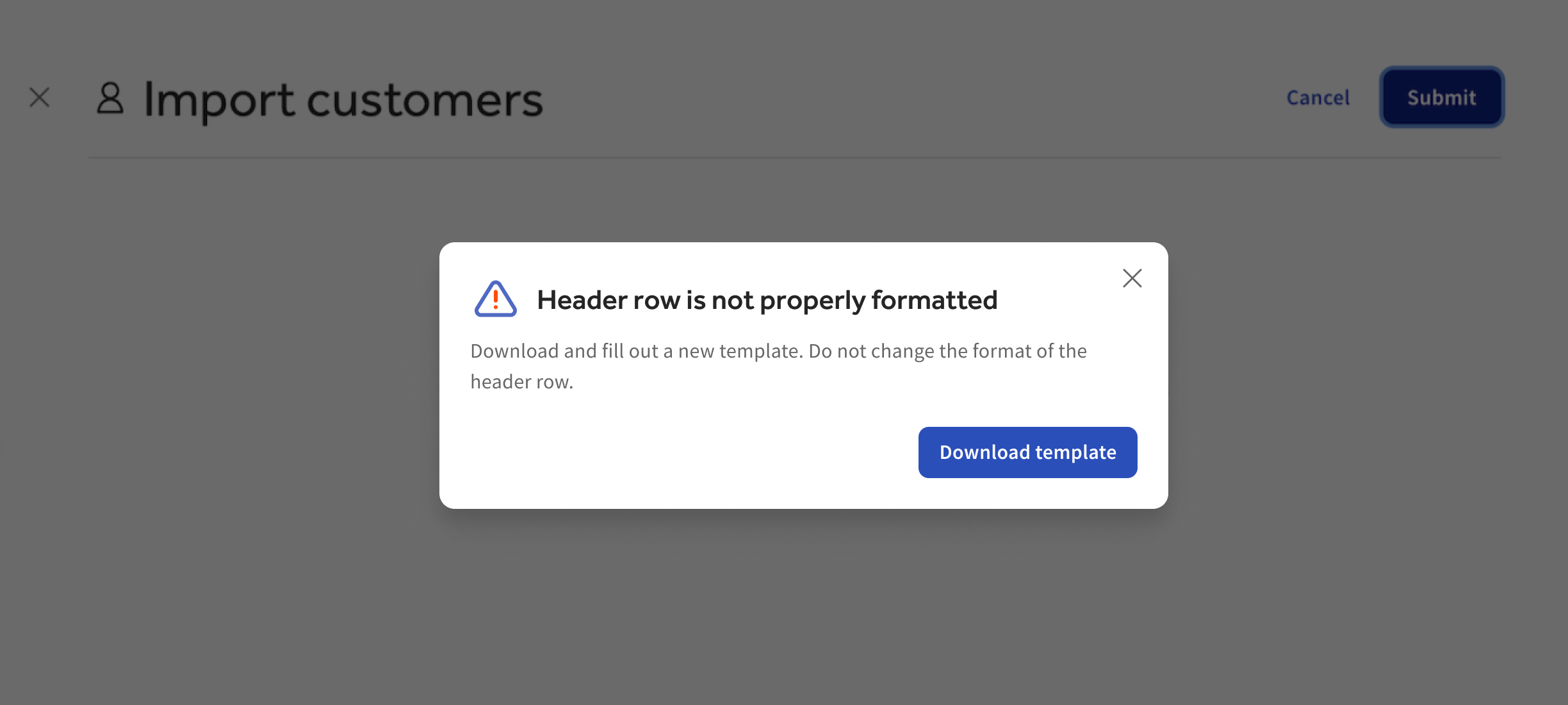
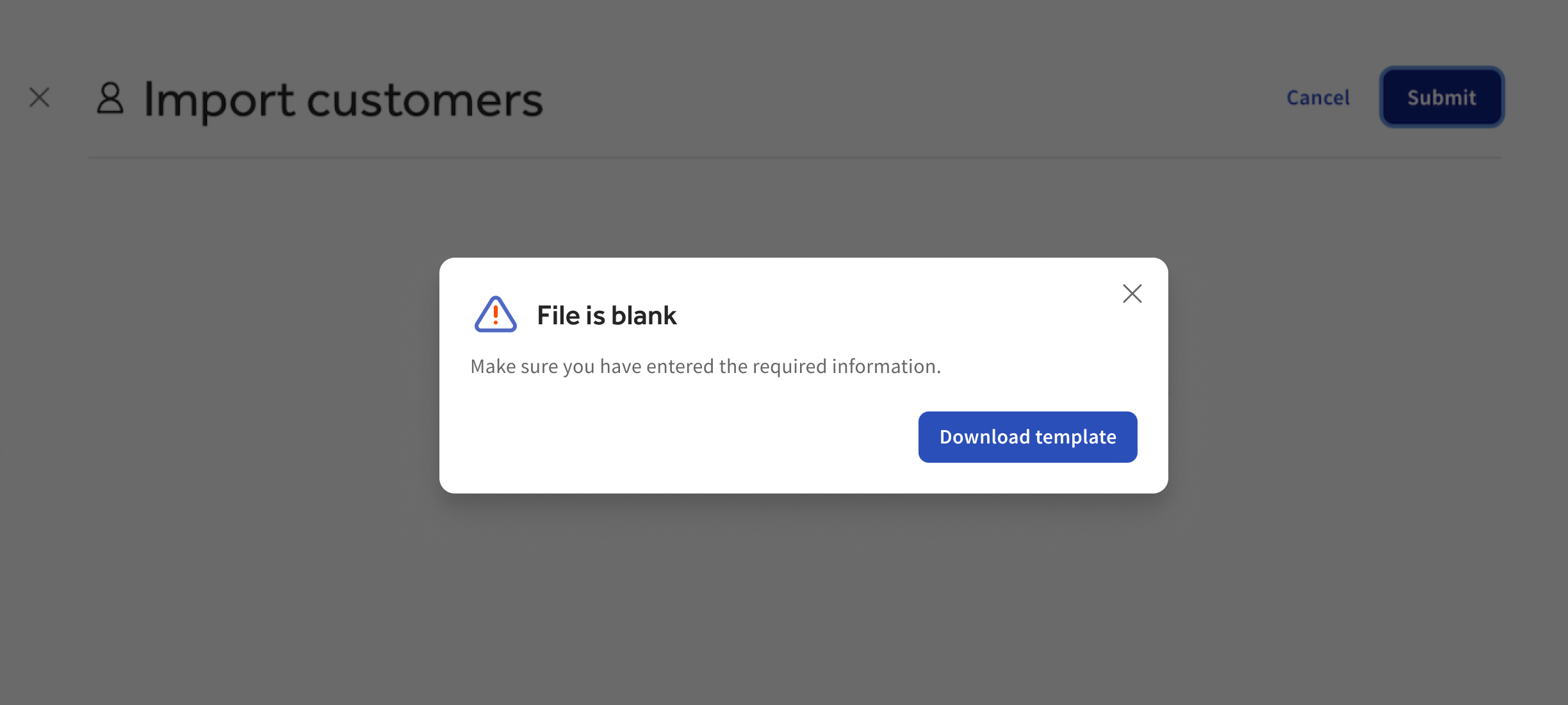
The hard part was handling a wrong file. I worked with our engineer to list every way a file could fail, then wrote an error for each one that explains what went wrong and links to a fresh template. If only some accounts fail, operators get their file back with the problem marked on each row, so they can fix just those.
Each error says what went wrong and how to fix it, with a link to a fresh template.
Bulk invoicing
Overview
Picture the first of the month at a club with 200 members. The operator opened each account, built an invoice, and sent it. Then did it again, 199 more times.
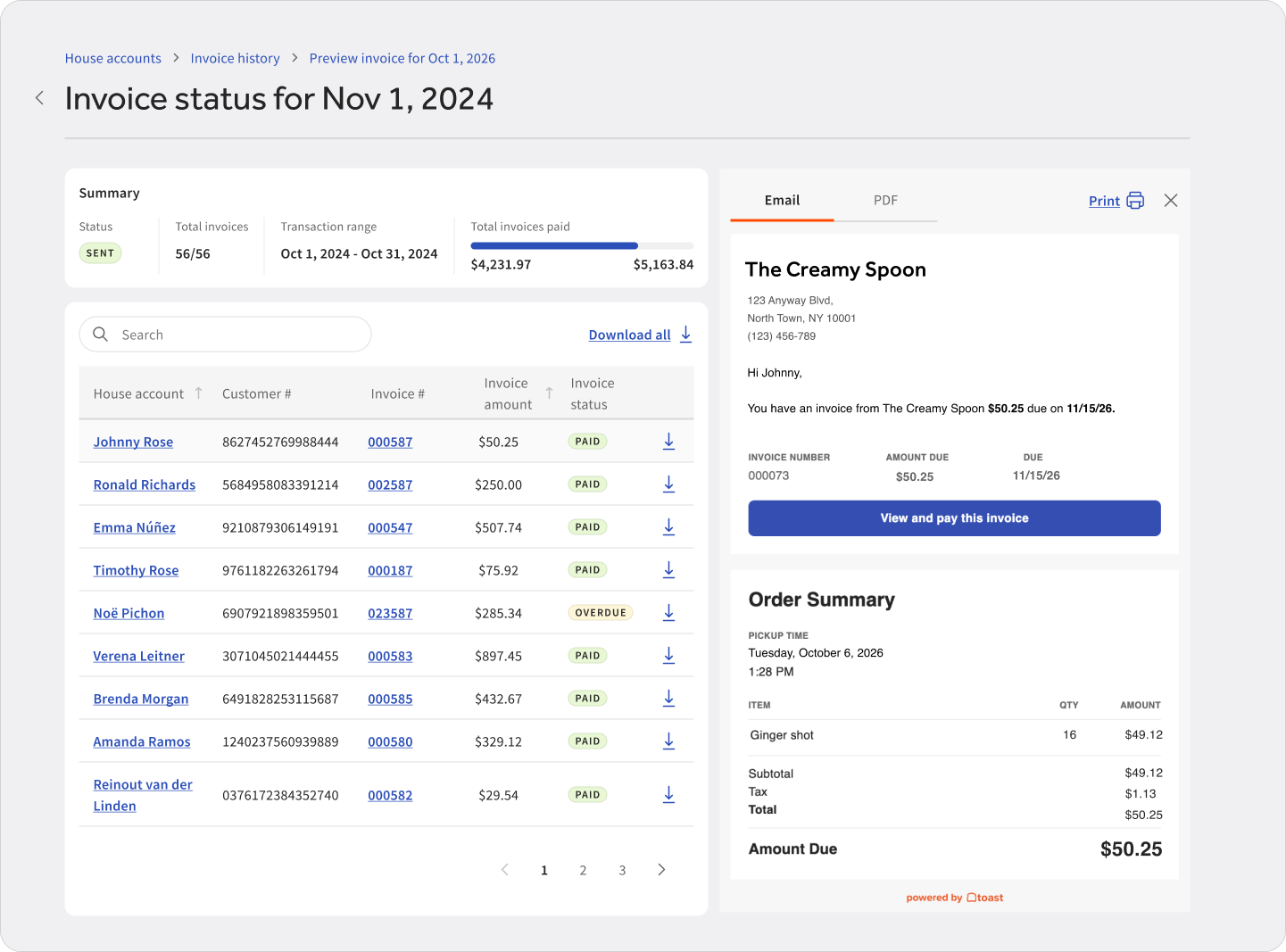
Bulk invoicing lets operators choose the accounts and set up the run once: the charge date range, the due date, whether to send by email or text, and whether members can pay by card. They preview every invoice, then send them all together. Each invoice lists each charge, with receipts attached, so members can see what they’re paying for.
Set up once: pick the accounts, charges, and due date for the whole run.
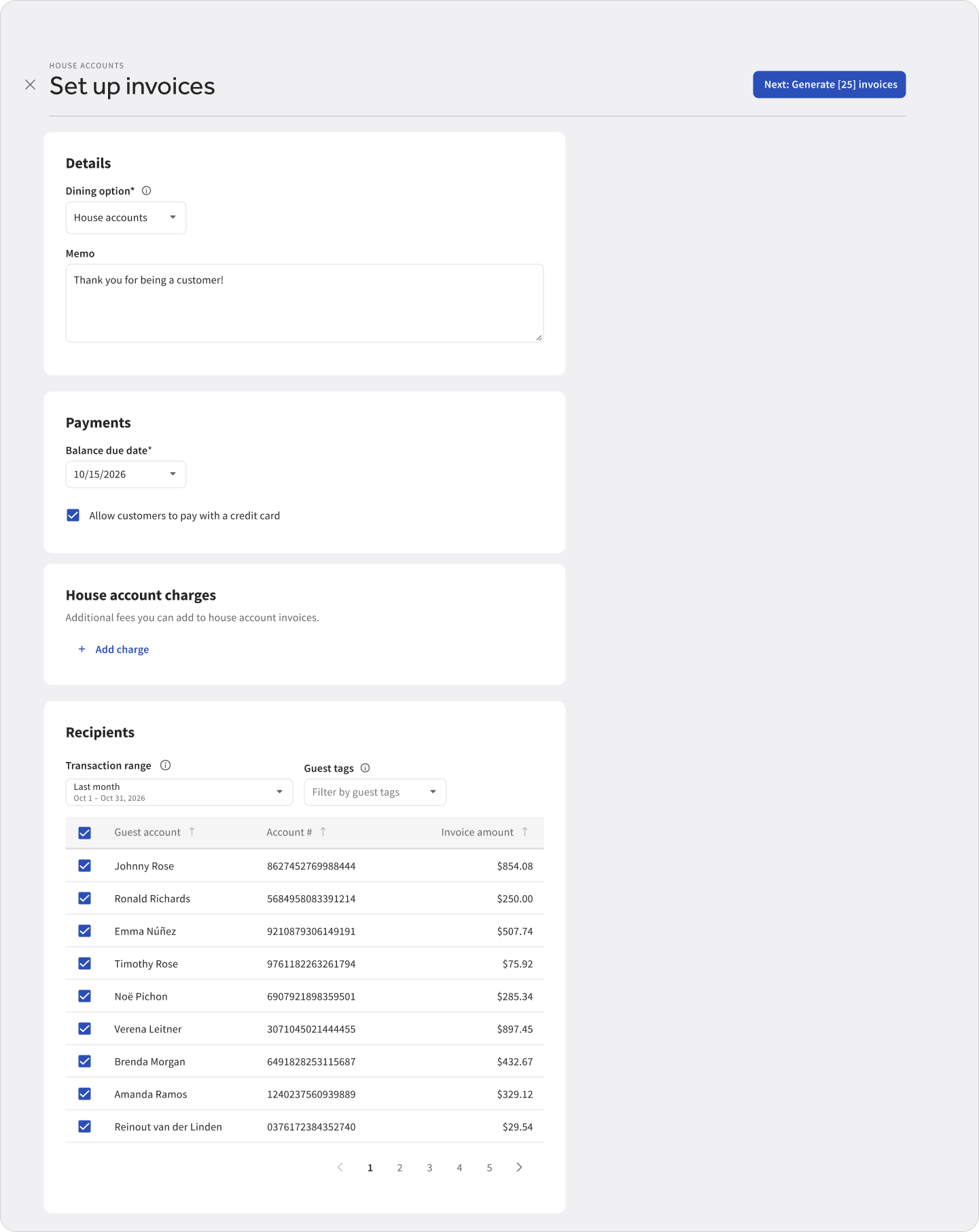
Review and track: check every invoice before sending, then see each one’s status.
Separating create from send
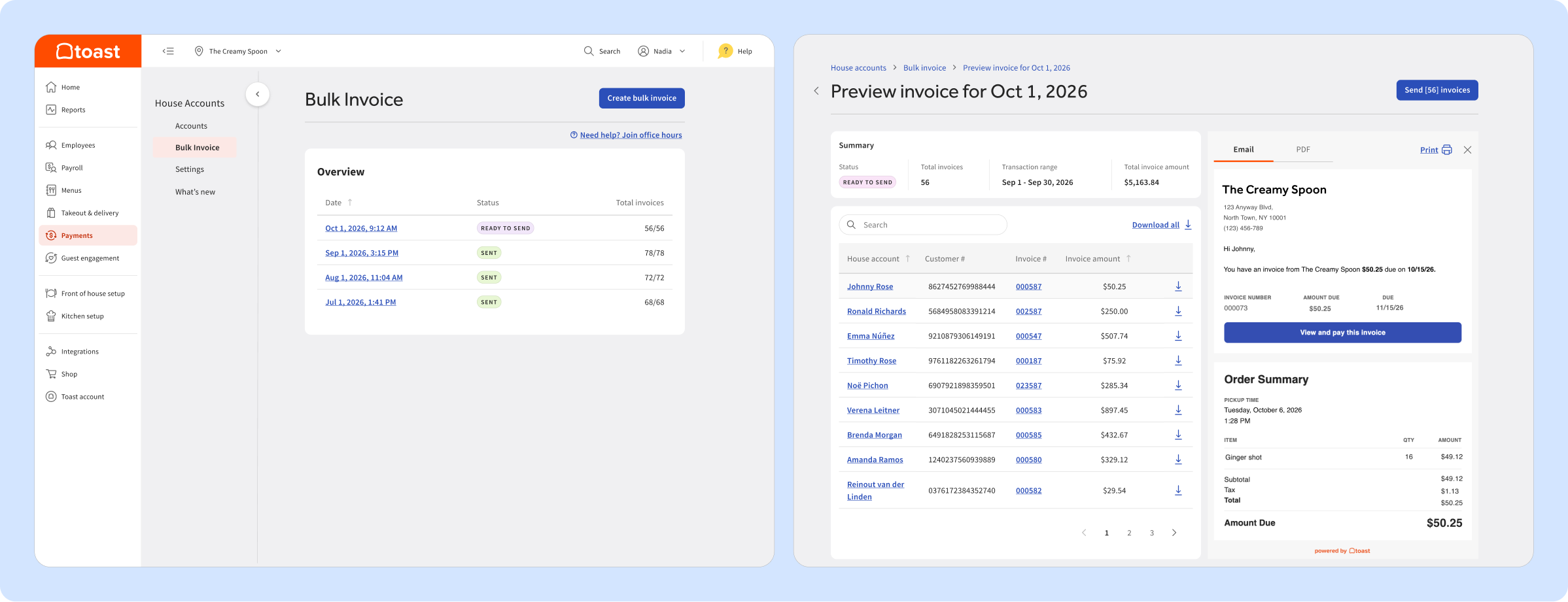
The decision: Make creating invoices and sending them two separate steps, with a review in between.
Why: While planning the first version with engineering, a key question came up: if some invoices fail to create, should operators still be able to send the rest? I pushed to make sending its own step after a review. Sending is the one step you can’t take back. If it happened automatically, a setup mistake, like the wrong date range, would reach every member at once. A separate send step also meant operators could send the invoices that worked without waiting on the ones that failed.
What we gave up: An extra step for operators on every run. And in the first version, invoices couldn’t be deleted once created, so the review step had to carry more weight.
What it unlocked: Restaurants that don’t email invoices at all, like those that take paper checks, can create invoices and leave them open without sending anything to members.
Designing for a run that only partly works
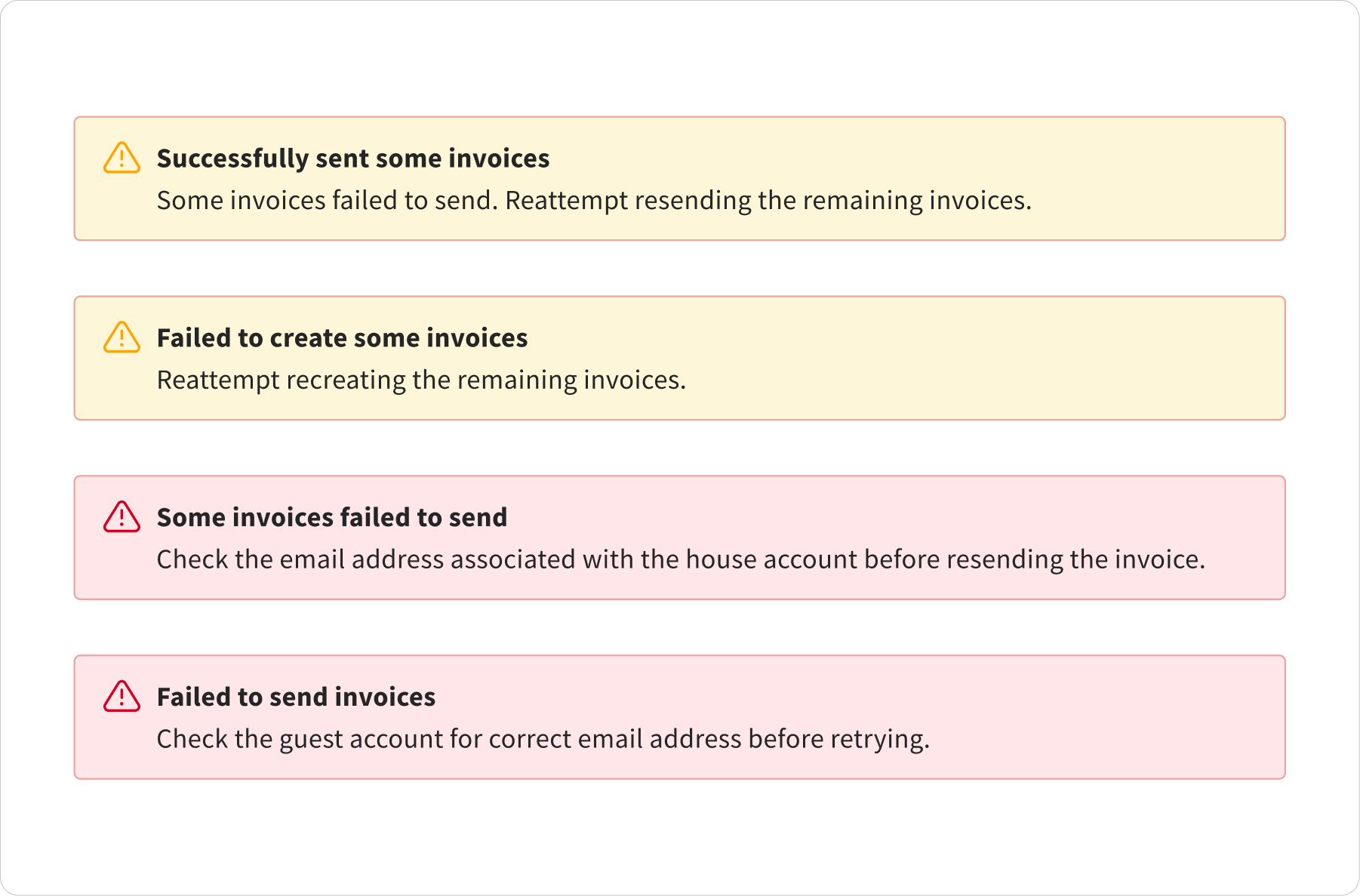
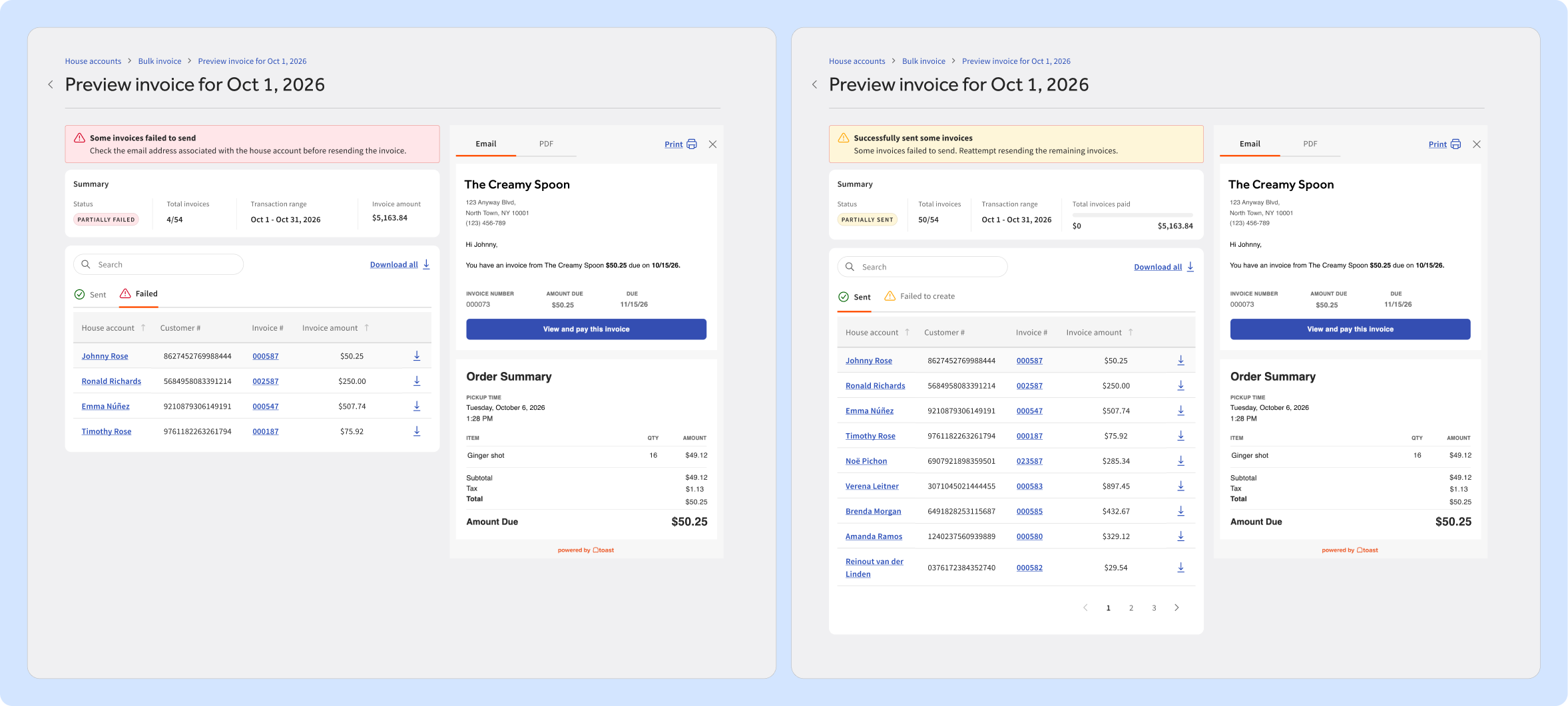
Creating hundreds of invoices takes a few minutes, and not all of them will always go through. If the screen only said “something went wrong”, operators wouldn’t know who got billed and might bill people twice.
I worked through each scenario with engineering: everything succeeds, some invoices fail, or the run fails. A few rules came out of that:
- Charges on a failed invoice stay unbilled, so you can retry without billing anyone twice.
- Operators can still send the invoices that worked, without waiting on the ones that didn’t.
- Only one run happens at a time, and a history page shows how many invoices succeeded and failed in each run.
The design then clearly shows each outcome and lets operators retry only the failed invoices.
When a run partially fails, operators can see exactly which invoices didn’t go out and why, resend only those, and still track every invoice that did.
Member statements
Live with a small group of businesses, with a wider release to follow.
Overview
Club members don’t think in invoices. They expect one monthly statement that lists what they spent and what they owe, like a credit card bill. When we surveyed club operators on Toast, member billing was one of their biggest gaps, and statements came up again and again.
“The capability to automatically produce monthly itemized statements with an online payment link.”
Country club operator, when asked what they needed most
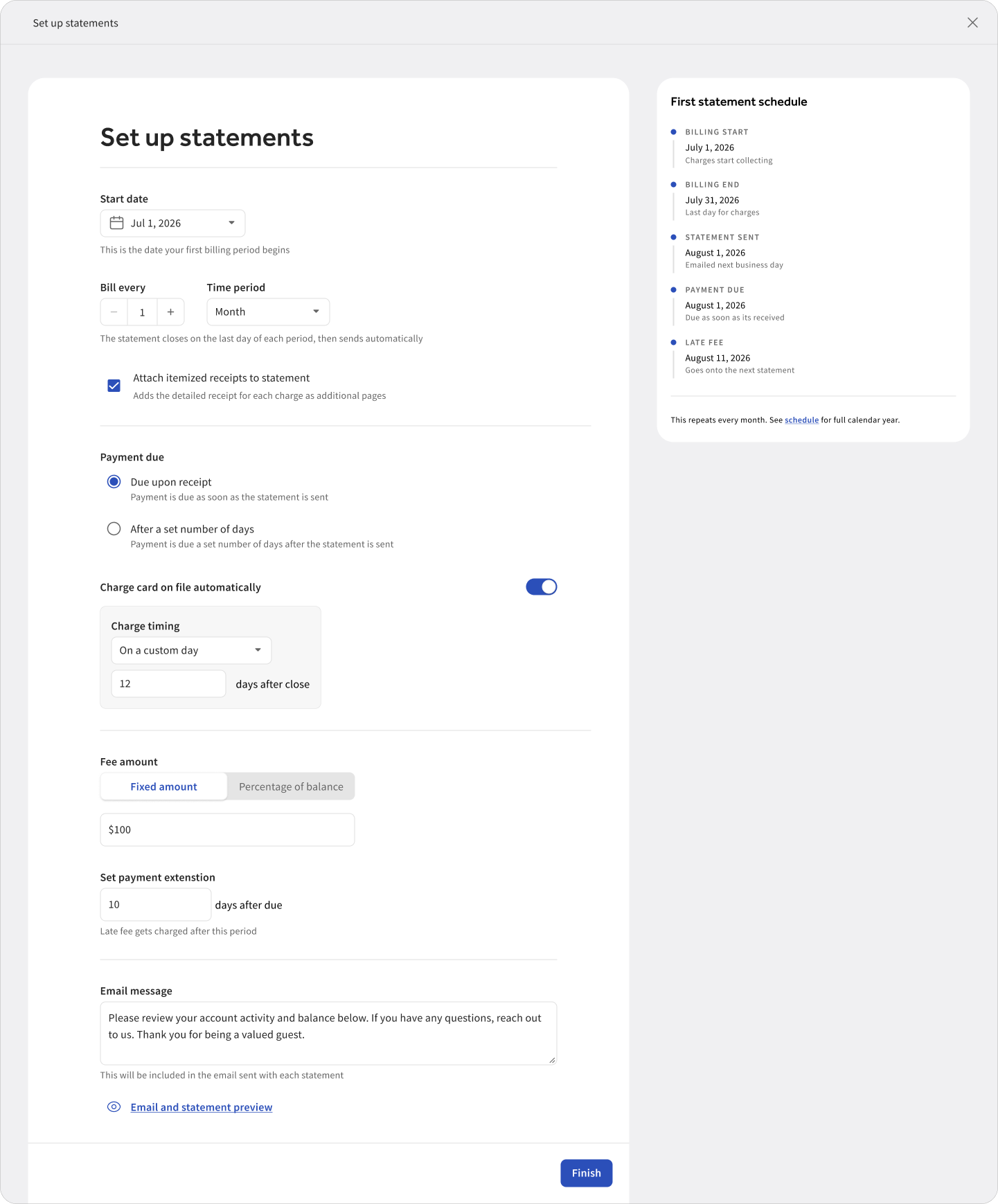
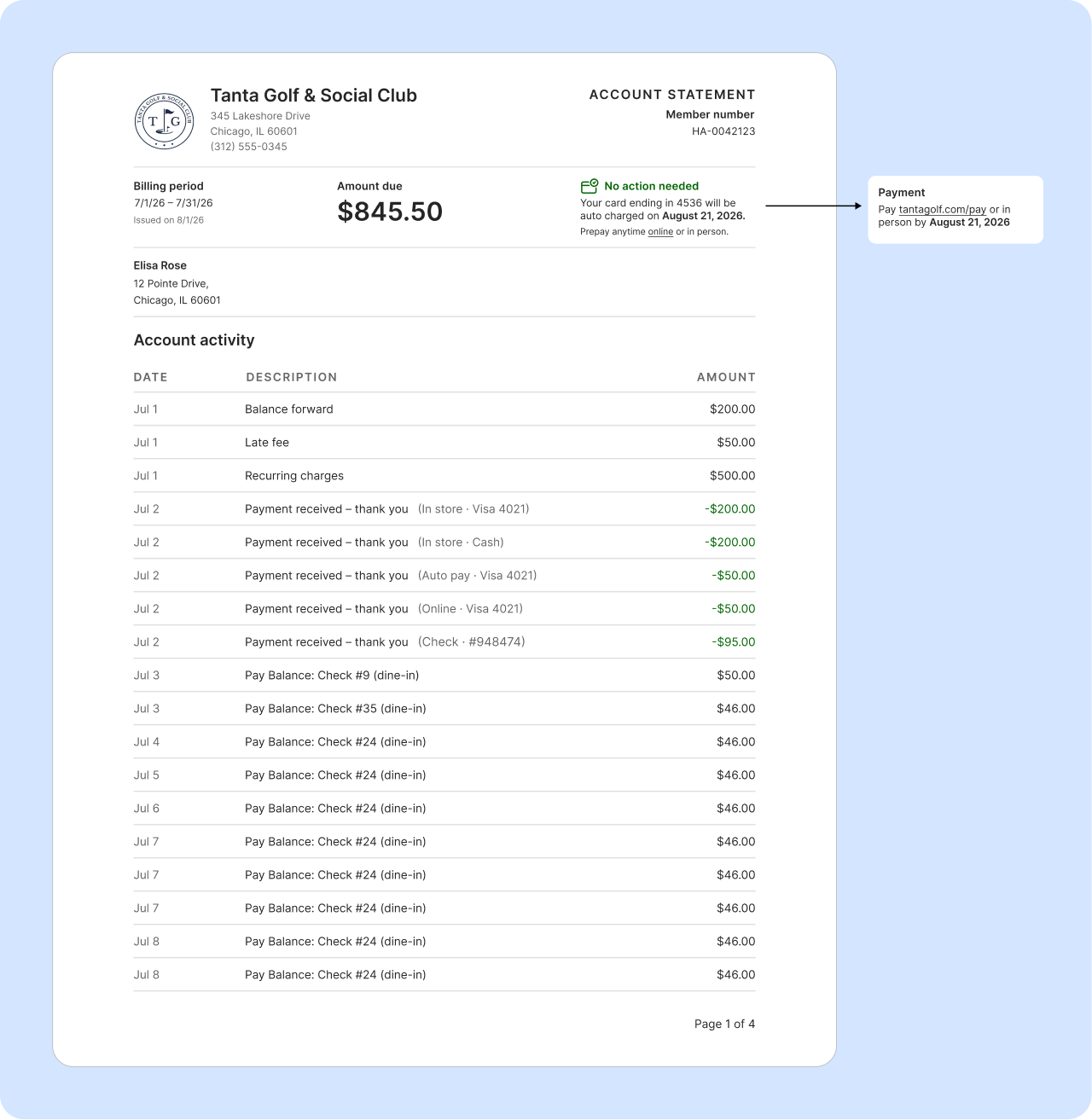
Set it once: operators choose the billing cycle and due date, and statements go out on their own after that.
One statement, two messages
Statements had to work with a card on file. If a member’s card is charged automatically, a “pay now” statement causes confusion and support calls. If they don’t have a card saved, the statement has to make paying easy.
So the statement changes based on the member. Members with a card on file see “no action needed”. Everyone else gets a “make a payment” link.
Designing for what goes wrong
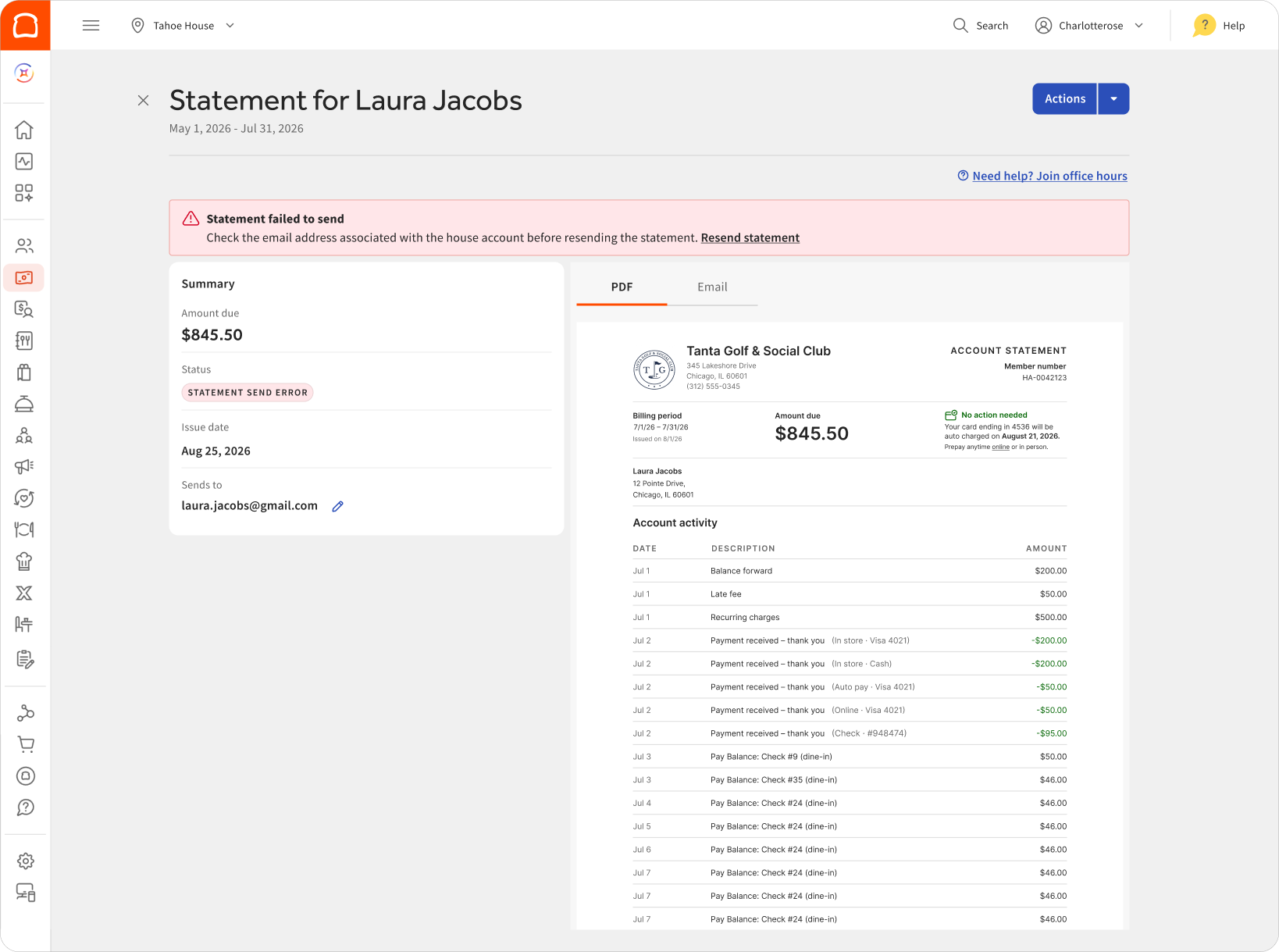
Like bulk invoicing, a statement run can partly fail. I used the same pattern: operators can see which statements didn’t send and resend only those. On the member’s profile, they can email, print, or download any statement, with clear success and error states.
Minimum spend
This is designed and in development, launching in early 2027.
Overview
Many clubs ask members to spend a minimum amount on food and drink over a set period. If a member falls short, the club bills the difference. Today, that means someone adds up each member’s spend by hand at the end of the period, then adds the shortfall to their bill.
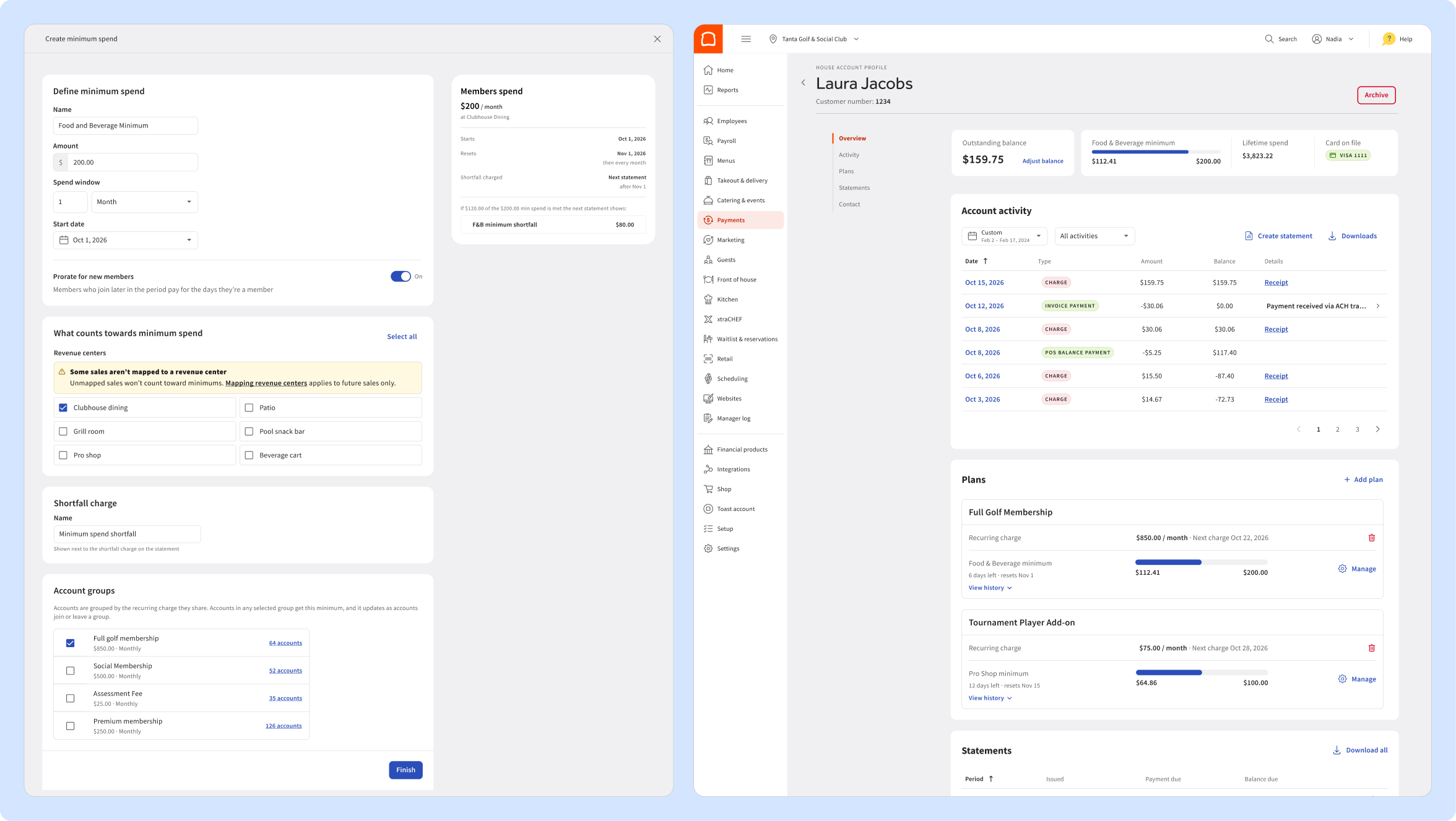
With minimum spend, a club sets the amount and the time range once. Toast tracks each member’s progress on their profile, and it automatically adds any shortfall to their statement.
“Right now, we keep all the receipts, put all the receipts in a spreadsheet, and manually calculate it 3 times a month to make sure we bill our members correctly.”
Private club operator
Set the minimum once, track progress on every profile, and bill the shortfall automatically.
Impact
Measuring success and what is next.
House Accounts 2.0 is live for Toast customers across the US. Billing a club’s members went from one invoice per member to a single run for hundreds of invoices, and operators can answer billing questions from one page instead of digging through receipts.
Statements are rolling out more widely, and minimum spend is next. House Accounts went from a tool businesses worked around to the base that Toast’s club billing is now built on.
The biggest thing I learned was that people judge billing tools by what happens when something fails, not when everything works.